
A Corporate Event Photography Shot List Your Team Can Actually Use
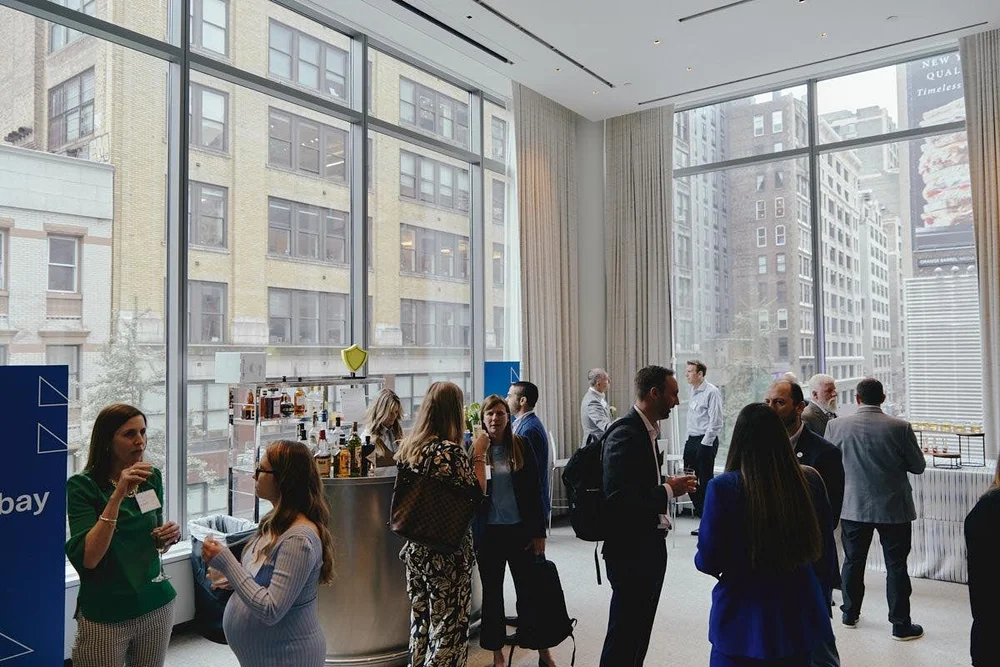
As the producer, I want an event photography shot list to answer four questions: what matters, when and where it happens, who can help, and where the pictures will be used. “Speakers, networking and sponsors” is a category list, not a working brief. Names, times, priorities and access details make it useful.
I’d start with the pictures you have promised to someone: a sponsor, a speaker, an executive or your communications team. Then leave room for what you can’t schedule, the reactions and conversations happening between sessions. If you’re arranging corporate event photography in NYC, use this checklist before you request coverage.
The short version: name the essential moments, check them against the run of show, assign one on-site contact and agree on delivery. A longer shot list will not solve two events happening at once. You need priorities and a plan for the overlap.
Jump to: Shot-list checklist · Schedule conflicts · Copyable brief · Organizer questions.
What belongs on a corporate event photography shot list?
For each requested photograph, I’d record the subject, why it matters, when and where it happens, and who can help make it happen. Mark it essential or optional. Your photographer needs to know whether a request is a commitment or something to capture if the schedule allows.
Cvent’s event photography guide recommends agreeing on must-have images before an event and staying flexible for unplanned moments. That balance is useful. The list protects what you’ve promised without turning every conversation into a staged photograph.
Use this as a starting point. Remove what your event doesn’t need, then add names and times. The details are what make a generic list usable.
| Photograph | Why your team needs it | Detail to add to the brief |
|---|---|---|
| Room ready before doors open | A clear record of the setup and branding | Access time, room name and which signs matter |
| Arrival and registration | An opening image for the recap | When arrivals peak; avoid exposing personal information on check-in screens |
| Keynote or presentation | Communications, speaker follow-up or press | Speaker name, exact slot and any restricted angles |
| Panel and audience response | Show the discussion and participation | Panelist names, Q&A timing and aisle access |
| Sponsor activation in use | A record for the sponsor team | Required sponsor, specific activation and reporting deadline |
| Networking conversations | Show how attendees engaged | Relevant areas and any people who should not be photographed |
| Leadership or partner group | A planned image of named people together | A named coordinator, meeting point and agreed time |
| Award or announcement | Record a moment that cannot be repeated | Recipient names, presentation order and stage position |
| Workshop or demonstration | Show participation and the activity itself | Session room, facilitator and any confidential materials |
| Closing or reception | Complete the event story | End time and whether reception coverage is included |
You can download the editable shot-list worksheet. It has columns for priority, time, location, contact, intended use and delivery deadline. Fill it in with your event details. The example rows are prompts, not a fixed package.
Start with the pictures your colleagues will use
Before you request dozens of images, ask who will use the gallery and what they’re making. A recap email, sponsor report and next year’s registration page can need different selections from the same event.
For a recap, you may want a sequence: the room, a speaker, audience response and a closing interaction. A sponsor report may depend on a particular activation shown in use. A registration page may need a wide photo with room for a headline. Put the intended use beside the request so the photographer can plan the framing as well as the moment.
“Social content” is too vague to plan around. Tell the photographer if your designer needs a vertical crop, a wide website image or both. A tightly framed photo won’t fit every layout.
For style references, choose a few examples from the corporate event photography portfolio. Say what you like: the framing, atmosphere or balance of candid and posed photographs. A reference sets direction. It doesn’t guarantee an exact recreation in a different venue.
Put the shot list beside the run of show
Check each essential photograph against the actual schedule. Include room changes, access restrictions and the time needed to gather a group. An executive appearing on the agenda doesn’t mean they’re available for a separate portrait afterward.
Consider a hypothetical conflict: a keynote ends in the ballroom at 10:30, while an essential sponsor presentation begins upstairs at the same time. One photographer cannot cover both completely. Resolve the conflict before the event by changing the priority, adjusting the schedule if possible, or discussing additional coverage.
I’d use three labels:
- Essential, fixed time: an announcement, award or sponsor moment that cannot move.
- Essential, flexible time: a leadership group portrait the organizer can arrange during an agreed window.
- Optional: useful details and candid photographs to capture around the commitments.
These are planning labels, not guarantees. If the schedule changes on the day, the named organizer should tell the photographer which priority changes with it.
Assign someone who can identify people and arrange access
A list of names only helps if someone on site can identify those people. Choose a contact who knows the program and can make decisions. Share their mobile number privately with the photographer, along with a backup contact.
For a planned group portrait, assign someone to gather the people and add the meeting point to the run of show. Otherwise, the photography slot can disappear while departments look for their colleagues.
Include practical access instructions: vendor entry, credentials, permitted shooting positions and the venue contact. If the organizer has rules about photography, guest opt-outs or confidential presentations, explain how the photographer can recognize and follow them. Don’t leave those instructions in a separate email chain.
Keep event coverage and headshot stations separate in the brief
Roaming event photography records what happens around the venue. A headshot station creates individual portraits in a dedicated setup. If you need both, say so when requesting a quote. Staffing, space, participant flow and deliverables all need to be planned.
“Get everyone a headshot during the break” is a separate production task. It shouldn’t appear as a small note at the end of a roaming photographer’s list. Start with the conference headshot station service and use the headshot booth planning guide to plan participant flow.
The same goes for video. Recording a presentation or producing an event film needs its own agreed scope, even when the photography and video teams share a schedule.
Agree on delivery before anyone starts shooting
Write down who gets the images, what they need and when. Separate an urgent recap selection from the complete edited gallery. Ask the producer to confirm the requested timing and how it affects scope and price.
I’d put these details in the brief:
- Recipient: who receives and shares the gallery.
- Deadline: an exact date and time, with the time zone if your team is distributed.
- Priority selection: which speakers, sponsors or announcements you need first.
- Formats: the layouts and placements your communications team expects.
- Identification: whether you need names or captions, and who checks them.
- Usage: where your company, sponsors or speakers expect to use the pictures, as agreed in the booking.
Don’t assume every request comes with the standard gallery. Get delivery expectations in writing before the event.
Copy this event photography brief
Send these fields to your producer with the current run of show and completed shot list.
Event: name, purpose and date.
Venue: address, room names and vendor access instructions.
Coverage: requested start and finish, including setup or reception.
Audience: expected attendance and people whose presence matters in the photographs.
Essential moments: named speakers, sponsors, awards and groups, with times.
Schedule conflicts: simultaneous activities that both need coverage.
Uses: recap, website, sponsor report, press or other specific placements.
Delivery: recipients, urgent selections and proposed deadlines.
Additional work: headshot station, video or separate portraits, if required.
On-site contact: who can identify people, arrange groups and approve changes.
Restrictions: venue rules, confidential content and organizer photography instructions.
Corporate event coverage is planned through the production team. Current event photography packages start at $1,500 for up to two hours with one photographer. Additional services and delivery requirements are scoped separately. Request an event photography quote and share the brief so we can discuss the coverage you need.
Questions event organizers ask
How detailed should an event photography shot list be?
Detailed enough to identify essential people and moments without prescribing every candid frame. Give each commitment a time, location and contact. If your list grows, rank requests by business need instead of treating each one as equally urgent.
Do we need a photograph of every attendee?
Only if you’ve included it in the agreed brief. Roaming coverage and networking photographs don’t guarantee an individual image of every guest. If everyone needs a portrait, discuss a scheduled portrait session or headshot station as a separate requirement.
Can we get photographs during the event for social media?
Ask for the delivery window before booking. The producer needs to plan time to select, process and transfer those images while coverage continues. Name the pictures you need first; don’t treat the full gallery as an immediate delivery.
What if the schedule changes at the last minute?
Send the photographer the revised run of show and identify what changed. Keep one on-site contact responsible for priorities. That gives the team one clear decision if two departments need coverage at the same time.