AI LinkedIn Headshot: When To Use It, When To Skip It, And How To Make It Look Real
AI headshots for LinkedIn can be useful for testing a look or creating a temporary profile image. Price, processing time, input requirements, and download terms vary by tool, so review the current vendor terms before uploading photos or paying.
But AI headshots are not always the right choice. If the generated image looks unlike you, overly smooth, or visibly synthetic, it may not work well beside your current profile, company bio, or video-call appearance.
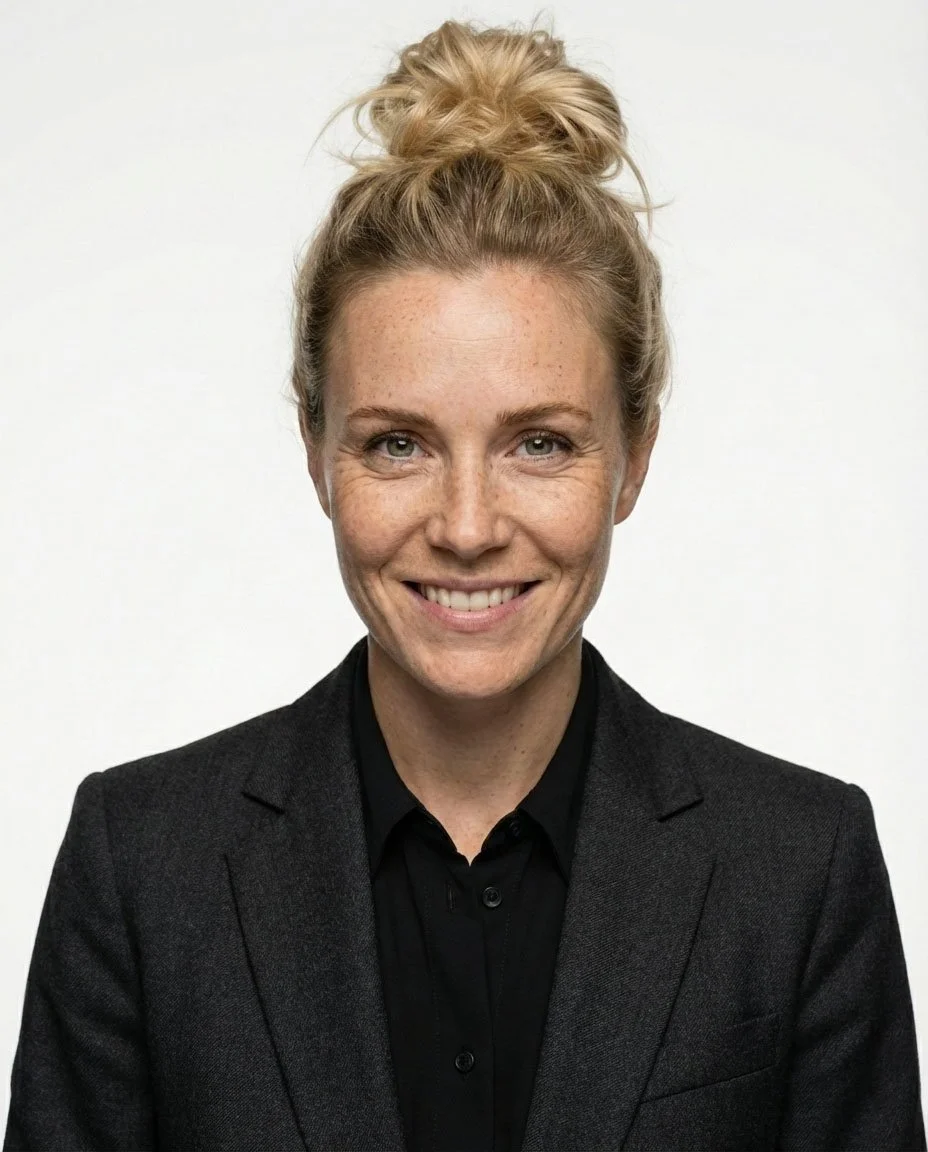
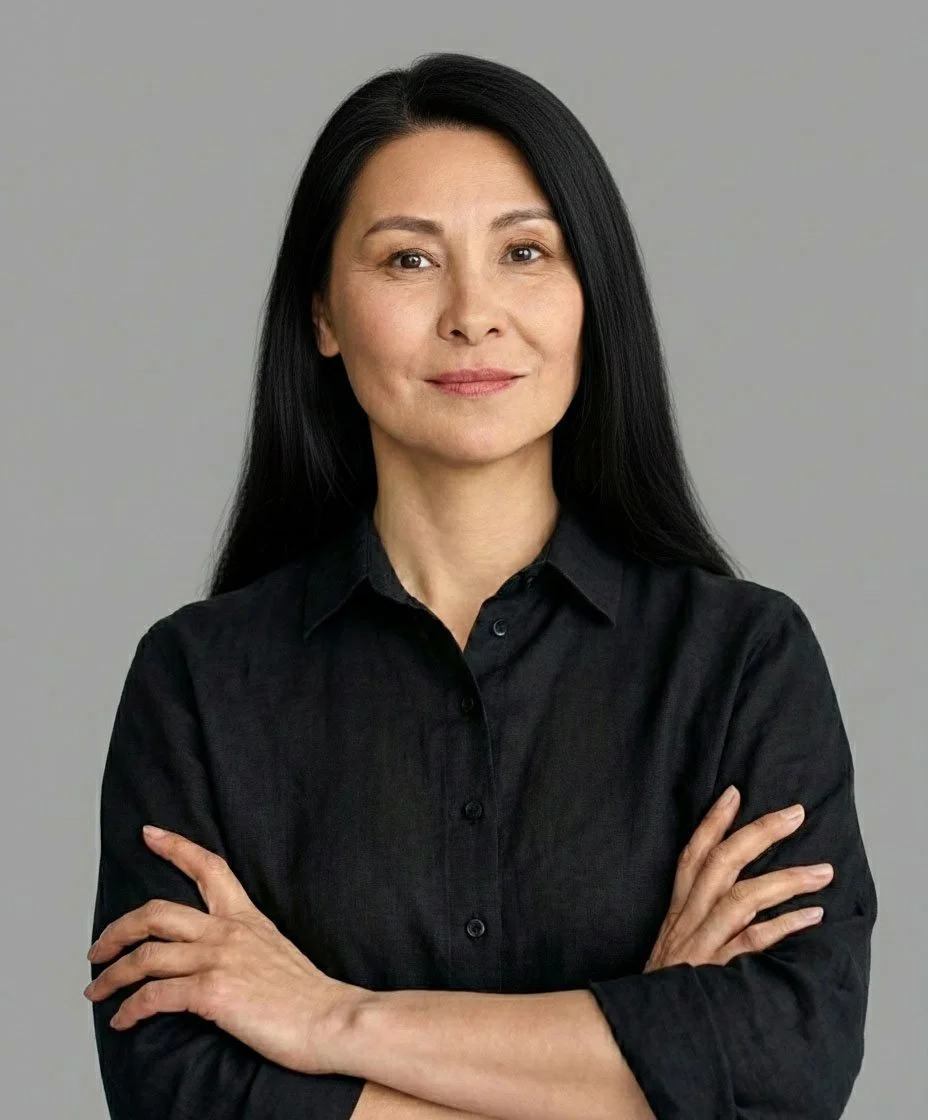
Studio Headshots gives you another path: a real photo studio session with a professional photographer. Instead of generating a face from uploaded images, your final image is based on real photos, live direction, controlled lighting, and natural retouching. The result is a photographed portrait with a likeness, pose, lighting, and crop directed during the session.
Key takeaways
AI headshots can work for individual LinkedIn page updates, freelancers, job seekers, and temporary social media images.
AI generated headshots are less reliable for founders, executives, leadership teams, press materials, investor decks, and company websites.
A good AI headshot generator can create professional AI headshots from a few selfies, but the quality depends heavily on the photos you upload.
The best AI headshot generator for one person may not be the best AI headshot generator for another person because facial structure, hair, glasses, skin tone, and source photos all matter.
A real studio session gives you more control over pose, lighting, facial expression, background, wardrobe impression, crop, and exact facial structure.
If you need a professional image for LinkedIn only, AI may be fine. If you need professional photos for LinkedIn, press, company websites, leadership bios, or employer brand, real studio photographs are usually safer.
What an AI headshot for LinkedIn is
An AI headshot for LinkedIn is a portrait created or heavily transformed by software from photos you upload. AI headshot generators ask for different numbers and types of source photos. The system studies your face, clothing, skin tone, hair, and facial features, then creates new headshots with different backgrounds, outfits, and lighting.
In simple terms, the headshot generator does not take a new picture of you. It behaves more like an AI photo generator or photo generator for professional portraits. It creates a new image based on the input image or training set. Some AI photos look close to reality. Some look hyper realistic at first glance. Others show plastic skin, changed facial features, strange hair, or a facial expression that feels almost right but not fully human.
This is why AI headshots sit in a specific category. They can create professional AI headshots quickly, and professional AI headshots can be convincing when the source photos are strong. Some AI tools can generate AI headshots with a studio quality headshots style. But they are not the same as a professional headshot captured through photography in a real studio.
What AI headshots are not
AI headshots are not a full replacement for professional headshots when trust, likeness, and brand consistency matter. They are not the same as a professional photo studio shoot. They are not always suitable for an entire team, leadership page, press kit, company website, or investor-facing bio.
An AI professional headshot can look polished, but it may not preserve the exact facial structure of the person. A headshot generator can create new headshots with a smart casual blazer, diffused studio lighting, soft bokeh, or bright cinematic color grading, but those effects do not guarantee authenticity.
For LinkedIn, the question is not only “does this look professional?” The better question is “would someone who met me recognize this as me?”
A studio headshot answers that question differently. The image is still polished. The lighting is still controlled. The background can still be clean, minimal, and modern. But the foundation is a real photograph of the real person.
When AI headshots are a good fit
AI headshots can be a good fit for temporary or exploratory uses when an accurate likeness is not the main requirement.
They can work for:
A job seeker who needs new headshots quickly.
A freelancer testing a new LinkedIn page style.
A content creator who needs social media images.
A consultant who wants a cleaner profile photo for low-stakes use.
Someone who wants to generate AI headshots before deciding whether to book a real session.
Someone who wants to try a free AI headshot generator before spending money.
AI headshots can also help test visual direction, such as neutral backgrounds, formality, or a contemporary style. Trial access, required uploads, and payment terms vary by tool.
If you are using a free trial, check the resolution, watermark, download, privacy, deletion, and commercial-use terms before relying on the output.
When real studio headshots are better
Real studio headshots are better when the photo is tied to trust. A professional headshot for LinkedIn, a founder bio, a leadership page, or a company website needs to feel accurate. It should look like the person on a good day, not like an idealized AI version of them.
Real studio headshots are usually the better choice for:
Founders and executives.
People who appear in press, investor decks, or public speaking materials.
Sales, recruiting, finance, legal, healthcare, and consulting roles.
Teams that need consistent headshots across company websites.
Anyone whose LinkedIn page is checked before calls, interviews, or meetings.
People who wear glasses and want the final image to reflect how they actually appear.
Anyone who wants a professional headshot with controlled lighting, real expression, and accurate facial structure.
A real studio session gives more control. A professional photographer can adjust lighting, camera height, pose, facial expression, framing, lens choice, and background before the image is captured. AI tools work after the upload. A photographer improves the image before it exists.
That difference matters. It helps create natural looking headshots with realistic skin texture, balanced tones, subtle warmth, and crisp detail without turning the person into an artificial version of themselves.
How AI headshot generators work
Most AI headshot generator workflows follow the same basic pattern.
First, you upload the number and types of photographs required by the chosen tool. Follow its current input guidance, and include recent views that accurately show details such as glasses and hair.
Second, the headshot generator trains on those photos. The system reads facial features, hair color, skin tone, clothing, and expression. Strong inputs help. Well lit photos usually produce better AI headshots than blurry, filtered, or heavily edited photos.
Third, you choose styles. Some AI headshot generator tools offer corporate, creative, founder, business casual, modern studio, or casual LinkedIn styles. Other AI headshot generators include different backgrounds, high resolution downloads, and extra editing tools.
Fourth, the tool creates headshots. Processing time, output count, resolution, and additional-download terms depend on the vendor and plan.
This process is easy, often just a few clicks from upload to preview. It is also why quality varies. If the photos are weak, the AI generated results may be weak. If the AI model misreads your face, hair, skin, glasses, or facial expression, the headshots created may look slightly off.
How to choose the best AI headshot generator
There is no single best AI headshot generator for everyone. The best AI headshot generator depends on your source photos, budget, desired style, privacy needs, and tolerance for AI generated artifacts.
Look for these key features:
A realistic sample gallery, not only perfect image examples.
Clear privacy policy and deletion terms.
Good guidance on what photos to upload.
Clear trial pricing, output, and download terms.
High resolution download options.
Some control over backgrounds, clothing, and facial expression.
A refund or rerun policy if the headshots created look unusable.
Good reviews that include an honest review of weak results, not only marketing claims.
Avoid choosing a headshot generator only because it calls itself the best AI headshot generator. Many new tools make big promises. Some create professional AI headshots with impressive results. Others produce AI generated headshots with plastic skin, strange eyes, or a body that does not feel connected to the face.
The best AI headshot is not the most dramatic image. The best AI headshot is the one that still looks like you.
A note on AI tool language
Many AI tools describe their key features with phrases that sound like a prompt: hyper realistic, bright cinematic color grading, diffused studio lighting, soft bokeh, shallow depth, airy soft light, realistic textures, and an atmosphere exudes confidence. Those words can help describe a style, but they do not guarantee believable headshots.
A headshot generator may create AI headshots with crisp detail, realistic skin texture, and a polished and contemporary feel. It may also create AI headshots with plastic skin, distorted glasses, or a face that feels close but wrong. The better question is not whether the image looks expensive. The better question is whether the headshots look like the person.
This is especially important for professional AI headshots. Professional AI headshots can work when the likeness is accurate. Professional AI headshots become risky when the final headshots look more like a photo generator’s idea of a professional person than the person themselves.
A real professional headshot does not need to look unreal to look good.
Common visual problems in AI headshots
AI headshots can look strong at first and then fail under closer review. When reviewing AI generated headshots, zoom in and check details.
Watch for:
Plastic skin with no realistic skin texture.
Eyes that do not match your real eyes.
Changed hair color.
Glasses that look melted or uneven.
A facial expression that feels frozen.
Fabric texture that looks painted.
Hands, jewelry, or collars that look strange.
A high angle that distorts the face.
Too much negative space around the head.
A shallow depth effect that looks fake.
Overdone soft bokeh or airy soft lighting.
Overly cinematic color that does not fit LinkedIn.
A surreal background or object that feels like a nano banana accident instead of a professional setting.
A background that feels like an AI studio set rather than a real photo studio.
Prompt language can also be misleading. Terms like “observe crisp detail,” “exquisite focus,” “diffused studio lighting,” “gently illuminating,” or “atmosphere exudes confidence” sound attractive, but they do not guarantee a professional headshot. A polished and contemporary feel is useful only if the image still looks like the person.
A real professional headshot does not need to look unreal to look good. It needs to feel clean, intentional, and honest.
AI headshots vs real studio session
AI headshots and real studio headshots solve different problems.
AI headshots solve speed and variety. With an AI headshot generator, you can upload photos, choose a style, and generate AI headshots quickly. You may get dozens of options, new photos, different backgrounds, and a few usable images.
Real studio headshots provide control over likeness, lighting, pose, and consistency. A real session gives you a professional photographer who can adjust lighting, direct pose, refine facial expression, control the background, and make the final professional photo feel like you. Instead of asking software to imagine a professional version of your face, you create the image in a controlled photo studio environment.
If you only need a quick LinkedIn profile picture, AI headshots can be fine. If your LinkedIn page is part of your professional reputation, a real professional headshot is safer.
For teams, the gap becomes even clearer. AI generated headshots from different employees often vary in style, lighting, crop, skin tone, clothing, and realism. A real studio rollout can create consistent headshots for the entire team with one standard.
Why LinkedIn is more sensitive than people think
Your LinkedIn page is not a private design experiment. It is often the first place recruiters, clients, investors, partners, and colleagues check.
A LinkedIn profile picture appears in search results, direct messages, comments, posts, company pages, and connection requests. It is small, but it carries a strong impression. If the image looks visibly generated or differs from your current appearance, it may feel inconsistent with the rest of the profile.
That is why a LinkedIn profile picture should look clean but not fake. It should have a professional feel, but it should preserve real facial features. It should be polished, but not transformed.
AI headshots can work for LinkedIn when they stay close to reality. Professional AI headshots can be acceptable when they look natural and do not alter the person. But if the AI professional headshot looks like someone else, choose a real studio session.
How to get better AI results if you still use AI
If you decide to use an AI headshot generator, source photos matter more than most people expect.
Use:
Recent photos from the last 12 months.
Clear phone photos in natural light.
A few selfies and chest-up images.
Photos with different facial expressions.
Photos in clothing close to what you would wear professionally.
Photos without heavy filters.
Photos where your face is not blocked.
Photos with and without glasses if you sometimes wear glasses.
Avoid:
Group photos.
Extreme high angle selfies.
Dark photos.
Heavy social media filters.
Hats or sunglasses.
Old photos where your face, weight, hair, or style has changed.
Over-retouched professional photos.
The goal is to give the headshot generator enough information to create natural looking headshots. More photos usually help, but more bad photos will not create a better result.
If you want to create professional AI headshots, treat the upload step seriously. The AI headshot generator can only work with what you give it.
What real studio headshots do differently
A studio session starts with direction, not generation.
The photographer works with you in a controlled environment and builds the image before the camera is triggered. They adjust the camera angle, lighting, background, pose, crop, and expression. They notice if the subject’s body is turned too far, if the chin is too high, if the shoulders feel tense, or if the lighting is flattening the face.
Then real photographs are captured. The selected images are edited for professional results: color, crop, skin detail, clothing distractions, and background cleanup. This creates polished headshots without changing who the person is.
The final image can still feel modern. It can have balanced tones, subtle warmth, crisp detail, and a polished and contemporary feel. It can be clean enough for LinkedIn and strong enough for company websites, social media, business pages, press bios, internal profiles, and marketing use.
That is why studio headshots are useful for people who want professional photos with real control, real lighting, and a stronger finished result than a generated image can reliably provide.
Using AI headshots across a company
AI headshots become harder when the goal is consistency across a team. Not everyone uploads the same type of source photos. Not everyone chooses the same style. Not everyone likes the result. Some people may feel uncomfortable with AI generated images of their face.
For a company, this creates brand and communication issues.
A mixed set of AI headshots can make the team page feel inconsistent. A few people may have realistic AI headshots, while others have overly smooth or stylized images. Some headshots may feel like professional photos, while others look like AI photos.
If your company wants to use AI headshots, create guidelines before the rollout:
Which headshot generator will be used.
Which style is acceptable.
How much editing is allowed.
Whether free AI results are acceptable.
Who approves final images.
What employees can do if they dislike the output.
Whether leadership uses AI or real photographs.
Not everyone wants their professional image generated. A good headshot program should respect that. For leadership, PR, investor, and employer-brand uses, real photographs provide a more controllable likeness and production standard.
A studio headshot program gives companies a clearer visual system. The lighting, background, crop, retouching, and final image standards can be controlled from the beginning. That matters when company headshots are used across websites, pitch decks, press pages, internal directories, and social media.
How AI is used in professional production
Professional photography is not automatically anti-AI. Many production workflows use modern editing tools. A tool like a magic eraser can remove small distractions. AI-assisted cleanup can help with background edges, noise, or minor color issues.
The difference is that these AI tools support a real photo. They do not replace the face.
In a professional workflow, AI may help with cleanup, but the foundation is real photography. A photographer still guides lighting, pose, expression, and image selection. Retouching still respects the person’s real structure, skin, and identity.
That balance creates professional headshots that feel polished without becoming synthetic.
Why the studio option exists
Studio headshots are built for people who want better headshots with real photographic control. The session is directed, practical, and efficient. The photographer helps create headshots that feel clean, natural, and usable across real professional contexts.
For individuals, studio headshots give you a stronger LinkedIn image without depending on a headshot generator to interpret your face. For companies, studio headshots make it easier to keep team headshots consistent across roles, departments, and leadership pages. For founders and executives, studio headshots protect likeness while still creating polished headshots quickly.
The goal is simple: headshots that look professional, headshots that feel human, and headshots that can be used beyond one profile.
A good studio headshot does not need to be overly formal. It can be modern, minimal, business casual, editorial, approachable, confident, or neutral. The point is not to make the person look like a different version of themselves. The point is to make the image feel clear, intentional, and trustworthy.
When to book real studio headshots instead
Book real studio headshots when:
Your image appears in press, investor materials, or speaking promos.
You are a founder, executive, partner, or spokesperson.
You want a professional headshot that matches how you look in real life.
Your company needs consistent headshots across the team.
Your LinkedIn page is connected to serious hiring, sales, or fundraising.
You tried an AI headshot generator and the results looked close but wrong.
You need professional photos with controlled lighting and a real photo studio process.
A real studio session does not need to be slow or complicated. You can arrive, get directed by a professional photographer, review the images, and leave with a stronger set of options than most AI tools can provide. The final images are delivered as polished professional photos for LinkedIn, company websites, social media, internal directories, press materials, and marketing use.
Frequently Asked Questions
Can recruiters tell if my LinkedIn headshot is AI generated?
Sometimes. Recruiters may not identify the specific tool, but they can notice when AI headshots look too smooth, too perfect, or slightly unlike the person. If your LinkedIn photo feels different from how you appear on video or in person, choose a more honest image.
Are professional AI headshots acceptable for LinkedIn?
Yes, professional AI headshots can be acceptable if they preserve your likeness and do not look synthetic. A clean AI professional headshot can work for many individual LinkedIn profiles. For founders, executives, press, or company websites, real photographs are usually safer.
How many photos should I upload to an AI headshot generator?
Follow the chosen tool’s current input requirements. Include close-ups, chest-up photos, different angles, and varied but natural lighting. A few selfies can help, but do not rely only on selfies. Upload photos that show your current face, hair, glasses, and typical expression.
Are free AI headshots good enough?
Free AI headshots can be useful for testing. A free AI headshot generator may offer limited credits, lower resolution, or fewer downloads. Free AI is usually fine for experimentation, but for a serious business image, compare the output carefully before using it publicly.
What is the best AI headshot generator?
The best AI headshot generator is the one that preserves your likeness, gives you useful styles, protects your data, and produces a final professional result you would feel comfortable using. Do not judge only by sample galleries. Test with your own photos when possible.
Can AI create studio quality headshots?
AI can create studio quality headshots in appearance, especially with strong source photos and a good headshot generator. But the image is still generated. If you need real facial accuracy, expression coaching, controlled lighting, and trust-sensitive professional use, a real studio session is more reliable.
Can I mix AI and real photos on a company page?
You can, but it is easy for the page to feel inconsistent. AI generated headshots and real photographs often differ in skin texture, lighting, crop, and background. If leadership uses real photographs and the rest of the team uses AI headshots, set a clear standard so the page does not feel accidental.
Do I need a photo studio for a professional headshot?
Not always. A professional headshot can be created in different ways, including studio, office, or other controlled setups. But if you want the strongest control over lighting, background, posing, image quality, and consistency, a photo studio is usually the safest option.
Is a studio headshot better than an AI headshot?
For serious professional use, usually yes. AI headshots can be useful for speed and experimentation. A studio headshot is better when you need accuracy, trust, consistent lighting, real expression, and a final professional image that still looks like you.
Final note
AI headshots are useful. A good AI headshot generator can create professional AI headshots quickly, and free AI headshots can help people test a look with almost no commitment.
But AI headshots are not the safest answer for every professional use. If your LinkedIn page, company website, press bio, or leadership page depends on trust, real photographs give you a better foundation.
Use AI when you need speed and experimentation. Choose real studio headshots when you need accuracy, confidence, controlled lighting, and a professional headshot that still looks like you.