
Resume and Headshot: Professional Branding Guide
TL;DR
Follow the employer’s instructions for applications. A resume presents your experience; a current professional headshot can support a profile, company biography, or portfolio when it is requested. Keep both materials accurate, readable, and consistent with the role.
Introduction
At Match Production in New York City, we coordinate photo shoots, manage wardrobe calls, and ensure individuals look their best on camera. A common question we hear from PR leads, HR teams, and founders is: how do I make my resume and headshot work together?


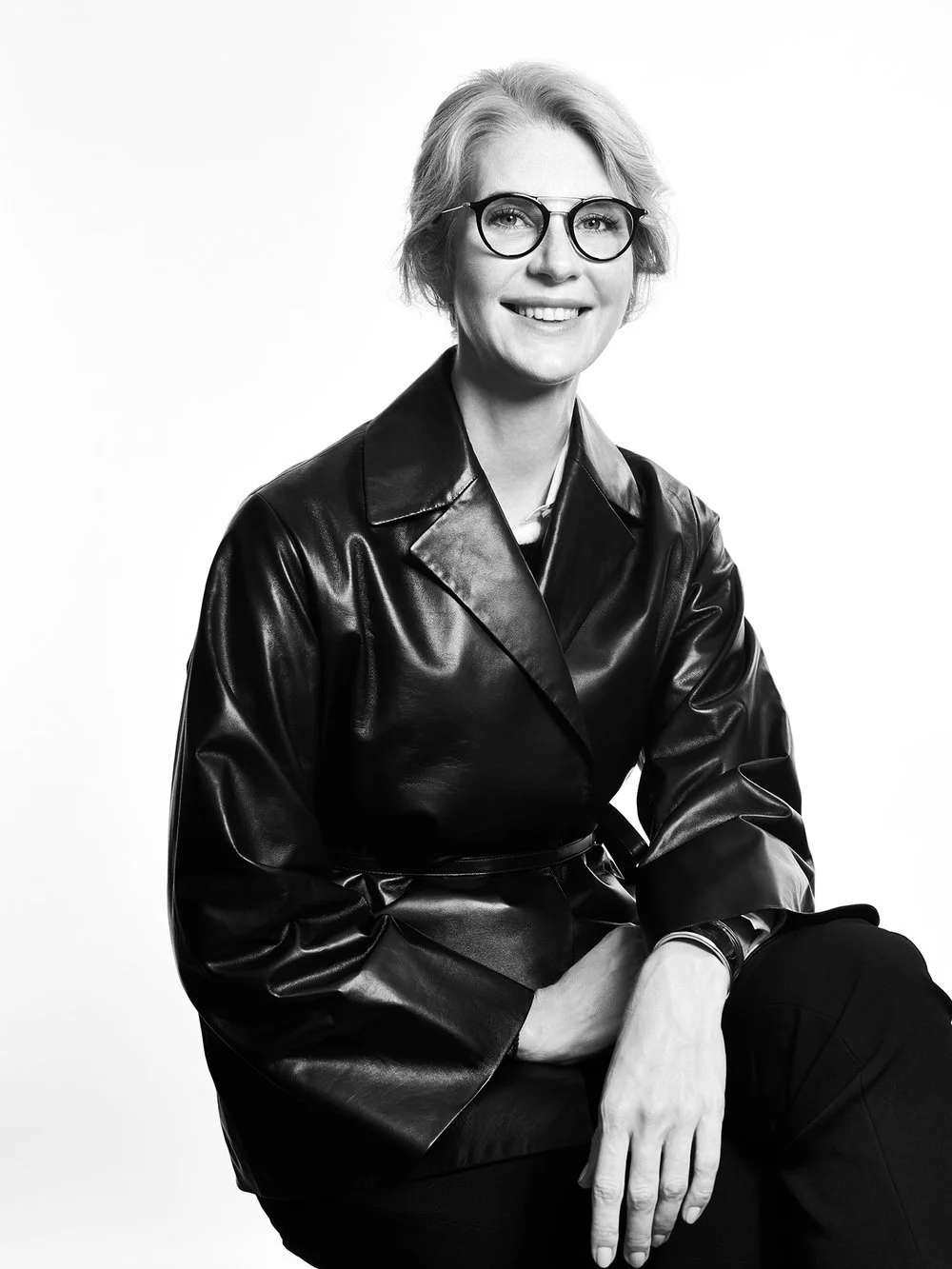

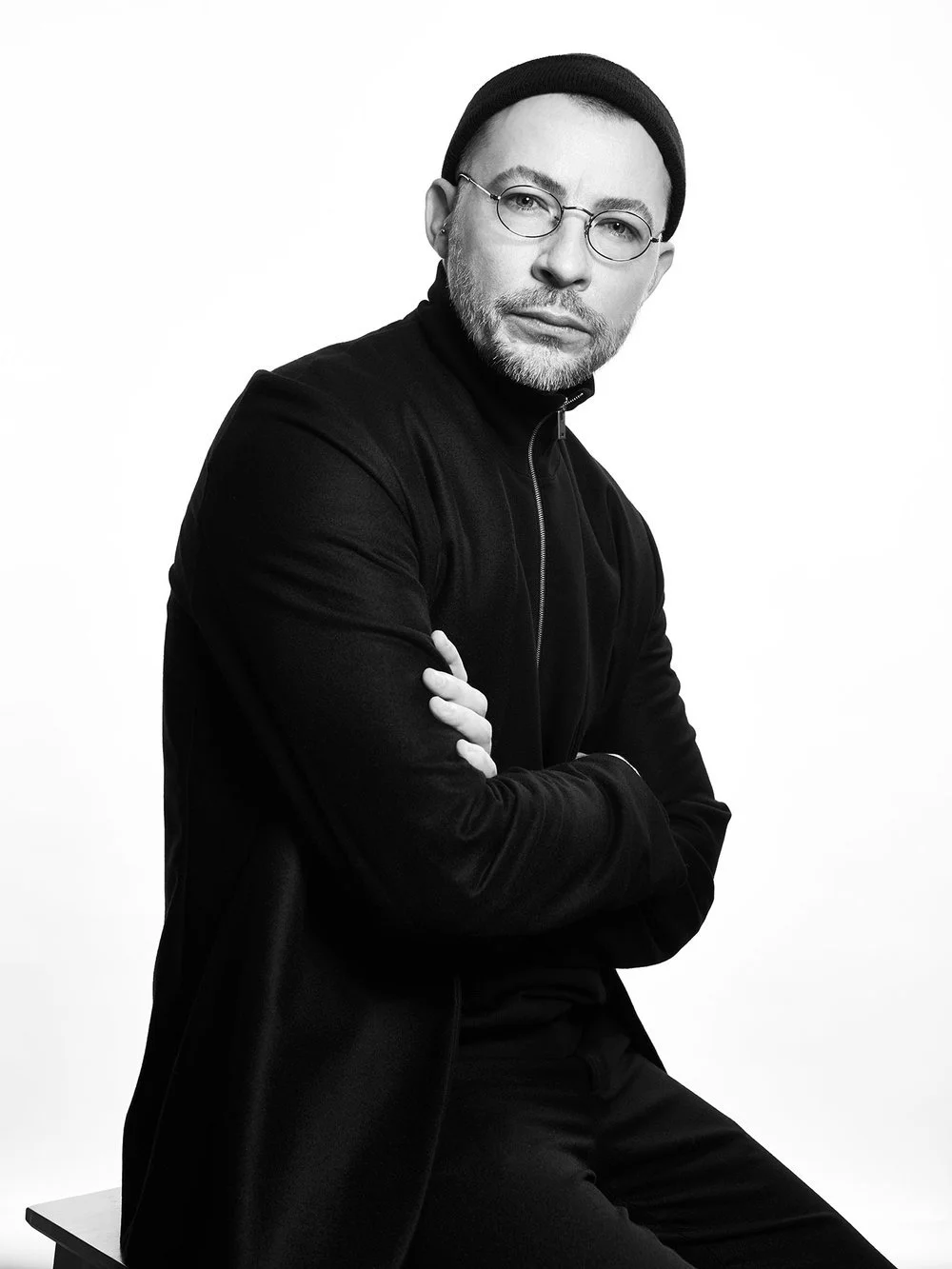



A headshot is a professional photograph for profiles, company biographies, and press materials. For ordinary U.S. employment applications, follow the employer’s instructions; EEOC guidance says employers should generally not request an applicant photograph because photo requests may raise discrimination concerns. Practice varies elsewhere. Germany’s Federal Employment Agency says a photo is optional though still common in some applications, while France’s Service-Public says a CV photo is optional. Check the country, role, employer, and submission instructions rather than assuming a photo is required or prohibited.
A resume presents experience and qualifications. A headshot may be used separately on a company biography, profile, or portfolio when requested. When both materials are used, keep the name, role, styling, and current appearance consistent.
The direct answer is to follow the submission instructions first. Use a text-focused resume for ordinary application systems. When a recipient requests both a resume and headshot for a professional profile or portfolio, prepare them as separate, coordinated files.
By the end of this post, you will understand quality standards for both materials, learn formatting best practices for digital and print, recognize common mistakes, and know how to implement effective combinations that serve you across platforms.
Understanding Professional Branding Materials
Visual identity and career credentials work together in business contexts. Your headshot establishes presence. Your resume conveys expertise. When both materials speak the same visual language, they reinforce your professionalism. When they conflict in style or quality, they undermine it.
It's important to make your resume visually attractive and use space effectively. A clean, well-formatted layout with appropriate white space ensures clarity and professionalism, making your résumé more appealing to potential employers.
Professional Headshots in Business
A professional headshot is not a casual profile photo from your phone. It is a formal portrait created with intention: controlled lighting, a clean background, thoughtful composition. Corporate headshots serve specific purposes. They appear on company websites, LinkedIn profiles, internal directories, press materials, and speaker bios.
Executive portraits often require higher production value, especially for CEO headshots that must convey leadership and trust to stakeholders. Multiple lighting setups, careful styling, and nuanced retouching distinguish them from standard headshots. The goal is not a pretty face. The goal is competence, approachability, and fit with your company culture.
A current professional photograph can be prepared for these working uses:
LinkedIn and other professional profiles
Company biographies and directories
Press, speaking, and portfolio pages
Choose the crop, resolution, background, and expression for the actual placement.
A structured session can provide controlled lighting, current likeness, required crops, and a clean background. These are production choices, not guarantees about hiring or response.
Resume Standards and Evolution
For an online employment application, use the file type and layout requested by the employer or application system. A simple text-focused version avoids unnecessary graphics and embedded photographs.
Modern resumes work best when the format matches the role and application system. A clear one-column layout, readable headings, and quantified achievements help people and application tools review the information.
Resumes now need to function in multiple contexts: digital screening through applicant tracking systems, email distribution, website portfolios, and print networking materials. File formats matter. PDF preserves layout for distribution. Word or plain text versions feed cleanly into ATS systems. Font choices must remain legible across devices. Exotic fonts disrupt parsing, just as your headshot must adapt across LinkedIn, corporate sites, and press, making versatile executive and LinkedIn headshots from a dedicated NYC photographer particularly valuable.
For best results, follow these resume best practices:
Use standard fonts like Arial, Calibri, or Helvetica
Ensure clear headings for easy parsing
Avoid embedded images, complex tables, or headers and footers that break text flow
Keep file sizes reasonable, under one to two megabytes
Quantify achievements wherever possible
Use bullet points to increase readability
Tailor keywords to each job description
Prioritize relevance over length
Your resume and headshot should feel like they belong together. If your headshot styling suggests earth tones and approachability but your resume design screams aggressive minimalism in stark black and white, you have a brand alignment problem.
Creating Effective Resume and Headshot Combinations
Moving from concept to execution requires attention to technical requirements, visual consistency, and platform optimization. Here is where production details matter.
Quality Standards and Technical Requirements
For headshots, resolution determines versatility. For print and digital delivery, confirm the required pixel dimensions, physical size, aspect ratio, file format, compression, and maximum file size. Export separate files when an employer, publication, or printer specifies different requirements.
Evaluate the headshot against the actual submission or publication requirements. It should be current, recognizable, correctly formatted, and consistent with the role and materials it accompanies.
Choose the background for the required crop and placement. Neutral or softly blurred options can keep attention on the face, while other settings may be appropriate when the recipient or publication asks for context.
Wardrobe and background selection are critical. For headshots, solid colors and jewel or earth tones are recommended, as they photograph well and keep the focus on you. Heavy textures like wool, canvas, and linen can enhance the look by adding subtle visual interest without distraction.
Lighting separates amateur attempts from professional work. Soft, even lighting prevents harsh shadows. A typical setup includes key light, fill light, and possibly a hair or rim light for separation from the background. Composition follows standard portrait rules: eyes in the upper third of the frame, shoulders angled slightly, camera at eye level or just above. This matters because your headshot often appears as a small thumbnail. If composition is off, the crop fails.
It can be helpful to seek feedback from industry professionals or trusted peers on technical requirements and presentation. Their advice can ensure your headshot meets current standards and stands out for the right reasons.
File formats for headshots depend on use. JPEG or PNG for digital. TIFF for professional print. Color profiles matter too: sRGB for web, Adobe RGB for print production. Retouching should remain minimal. Heavy filters look artificial and date quickly.
For resumes, ATS compatibility trumps design ambition in most cases.
Visual Consistency and Brand Alignment
Your headshot and resume should share visual DNA. This does not mean matching colors exactly. It means alignment in tone, style, and quality level. Both your headshot and resume should maintain a sense of authenticity and personality, ensuring you present an accurate and professional version of yourself.
If your resume uses a branded accent color, consider that color when selecting wardrobe or background for your headshot. A navy suit photographs differently against a gray background than against white. If your resume design is clean and modern, your headshot should not look like a glamour shot from 1987.
Font choices on your resume should complement the professionalism of your headshot. Layouts with consistent margins and alignment allow your resume and headshot to sit side by side on a website without visual conflict.
Platform Optimization and Usage Context
Different platforms demand different specifications.
LinkedIn requires a square profile photo. Your headshot must crop well into that format without losing your face to awkward framing. The platform compresses images, so start with high resolution and test how it renders.
Print materials for networking events, conference badges, or speaker bios need print-ready resolution. A headshot that looks sharp on screen may disappoint on paper if the original file was too small.
Digital portfolios and websites require responsive images. Multiple crop versions, portrait and square, ensure your headshot displays correctly across different page modules. File optimization matters for load speed. A three-megabyte headshot slows your site.
Your resume similarly needs multiple versions. The ATS-friendly version strips graphics and uses simple formatting. The branded version for your website or portfolio can include design elements, and potentially your headshot, for contexts where visual presentation matters.
Professional Production and Implementation
Planning determines what files need to be created. Here is a practical production sequence.
Production Process and Timeline
Before the photo shoot, confirm wardrobe options, background preference, desired mood, crops, intended uses, and deadline. Executives and founders can also provide brand references for decks, websites, and press materials.
On the shooting day, follow the selected package or project quote for session length, looks, location, and headcount. Team sessions use an approved run of show and reference for lighting, crop, background, and retouching.
Post-production may include color correction, retouching, and required crops. Proof count, included finals, selection workflow, and delivery timing follow the selected package or confirmed quote.
If a designer is preparing a portfolio or resume version that legitimately includes a headshot, provide the approved file and crop requirements early. Resume-design timing is separate from the photography scope.
Investment Comparison
Investment Comparison Table
| Factor | DIY or Basic | Mid-Tier Professional | Premium Production |
|---|---|---|---|
| Cost | Under USD 200 | USD 400 to 800 | USD 1000 and up |
| Lighting | Variable | Polished, consistent | Multiple setups, styled |
| Retouching | Minimal | Professional, moderate | Comprehensive |
| Deliverables | Limited formats | Multiple crops | Full package, multiple looks |
| Timeline | Immediate | One to two weeks | Two weeks or more |
A headshot and resume are working materials. Judge them by whether they are current, legible, accurate, and formatted for the specific submission.
Common Challenges and Solutions
Typical problems have straightforward fixes if you address them proactively.
Outdated Materials and Inconsistent Branding
The most common issue is headshots that no longer match current appearance. Hair changes, facial hair comes and goes, weight fluctuates, glasses appear. A headshot from five years ago creates a disconnect when you walk into a meeting. The mismatch can distract when you appear in person.
Guidelines recommend refreshing headshots every two to three years or after major style or role changes. Promotions, career transitions, and significant appearance updates all warrant new photos.
Resume design ages too. If the layout is difficult to read or no longer fits the intended use, revise it alongside any outdated professional portrait.
Poor Quality DIY Attempts
DIY attempts fail on lighting, background, cropping, and clarity. Smartphone cameras have improved dramatically, but without controlled lighting and proper composition, results remain inconsistent.
If budget is tight, focus on fundamentals: stable lighting from a window or simple softbox, clean background, high resolution, and careful framing. Test both digital and print previews before committing.
If the materials will be used publicly, decide whether controlled lighting, live direction, and specific crop or file requirements justify a professional session.
Platform-Specific Formatting Issues
Application systems vary. Follow the employer’s file and formatting instructions and keep a simple text-focused resume version without an embedded photograph for ordinary employment portals unless the instructions request one.
Best practice: maintain two versions. One clean, ATS-friendly resume without images for application portals. One branded version with your headshot for contexts where visual identity matters, such as website bios, portfolios, and cover letter attachments.
Version control matters. Track which resume includes the photo and which does not. Label files clearly. Update both when information changes.
For U.S. corporate applications, include a photograph only when the employer or role instructions request it. EEOC guidance explains why employers should generally avoid requesting applicant photos; it does not establish an automatic ATS rule.
Conclusion and Next Steps
Professional branding materials work when they create a coherent image of competence and credibility. Your headshot and resume are not separate documents. They are a unified story about who you are and what you offer.
Start with an audit. When was your headshot last taken? Does it match your current appearance? When was your resume last updated? Do the visual styles align?
Identify gaps. If your headshot is more than three years old or no longer matches how you present yourself, schedule an update. If your resume format looks dated or fails ATS testing, revise it.
Plan backward from the actual submission or publication deadline. Confirm photography timing through the selected package or project quote, and confirm any separate resume-design schedule with its provider.
If you are ready to discuss headshot scope and timing, reach out to us at hello@match-production.com. Share the intended use, deadline, required crops, and whether the session is for an individual or team.