
Corporate Pose: How To Look Confident, Approachable, And On-Brand In Your Headshots
Start with the crop, then choose a pose
A corporate headshot pose is a starting arrangement for the body, head and hands. It is not a test you need to pass. My recommendation is to decide where the picture will appear before trying to copy a pose: a close employee-directory crop needs a different review from a seated portrait for a press page.
Stand or sit comfortably, let your shoulders settle, turn slightly if that feels natural and look toward the lens. Ask the photographer to show a test frame. Keep what works and change one cue at a time. A large smile, a quieter expression and a light arm cross are options to compare, not promises about how someone will judge your character.
| Variation | Try this | Check in the crop | Useful when |
|---|---|---|---|
| Slight body turn | Turn your chest a little while keeping your face comfortably toward the lens. | The nearer shoulder does not hide the face or feel pushed up. | You want an alternative to a straight-on headshot. |
| Seated with support | Sit comfortably and rest a forearm lightly on a table or chair. | The chair and hands have room, or are deliberately outside the crop. | The brief includes a wider business portrait. |
| Relaxed hand clasp | Let the fingers meet without squeezing. | Hands do not become the brightest or largest part of the frame. | The image includes the torso and hands. |
| Light arm cross | Cross your arms loosely and let the shoulders drop. | The expression still suits you and the pose feels comfortable. | You want a second standing variation. |
| Face-first close crop | Keep the pose simple and compare a small smile with a fuller one. | Eyes, headroom and shoulder line work at the final display size. | The main use is a profile or staff directory. |
10 corporate headshot pose examples
These are real Match portfolio photographs. They show pose and framing options, rather than a before-and-after test. Try the cue beside an image, then review your own result with the photographer. You do not need to reproduce another person’s body position exactly.
1. A light arm cross
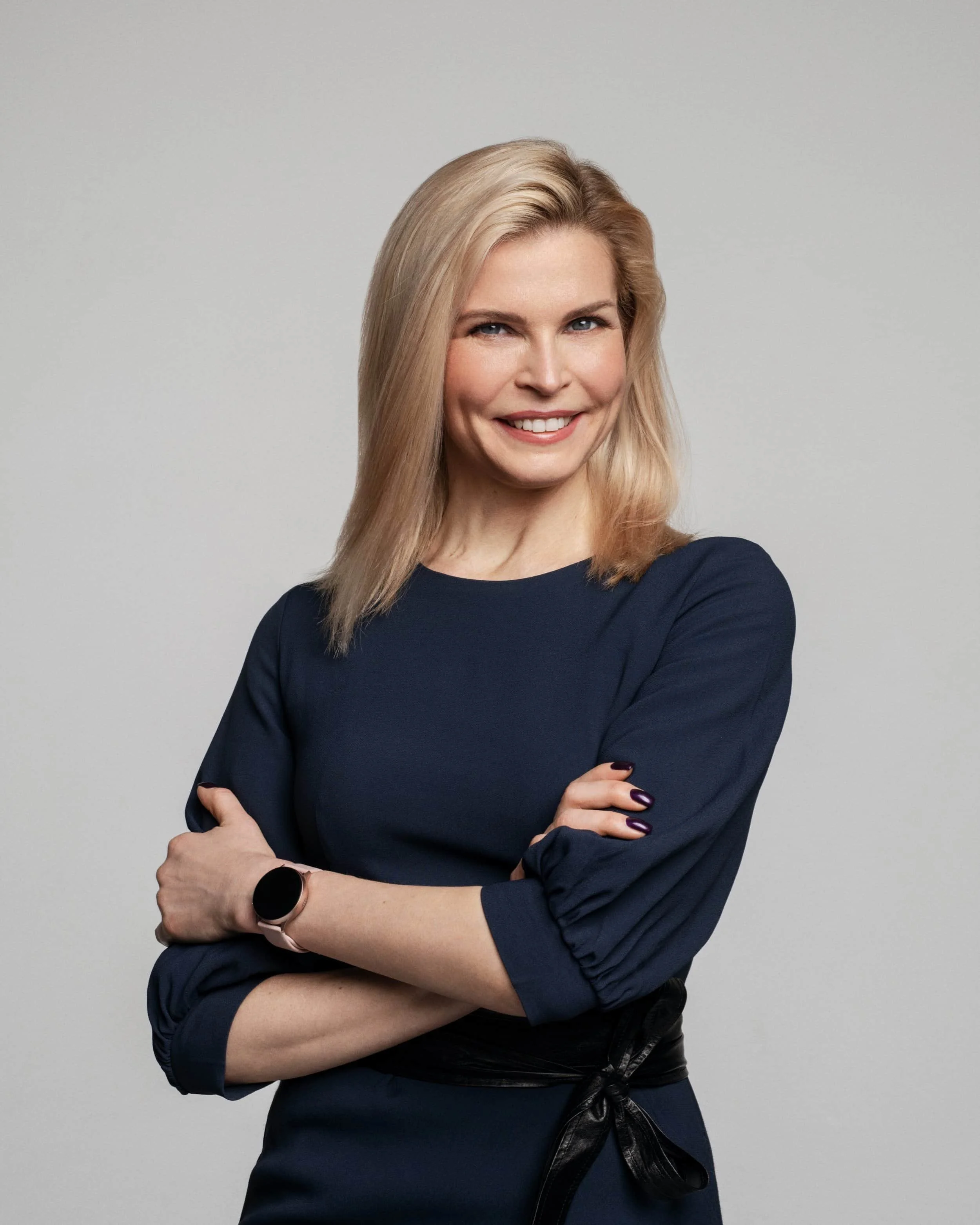
Try this: Cross your arms lightly, keep the elbows comfortable and release any shoulder tension. Compare this with your arms down before choosing.
Crop and use: For a wider company-bio portrait, leave enough space for the arm position. In a close headshot, check whether the shoulder line still looks relaxed; the hands may disappear entirely.
2. Seated with hands on a table
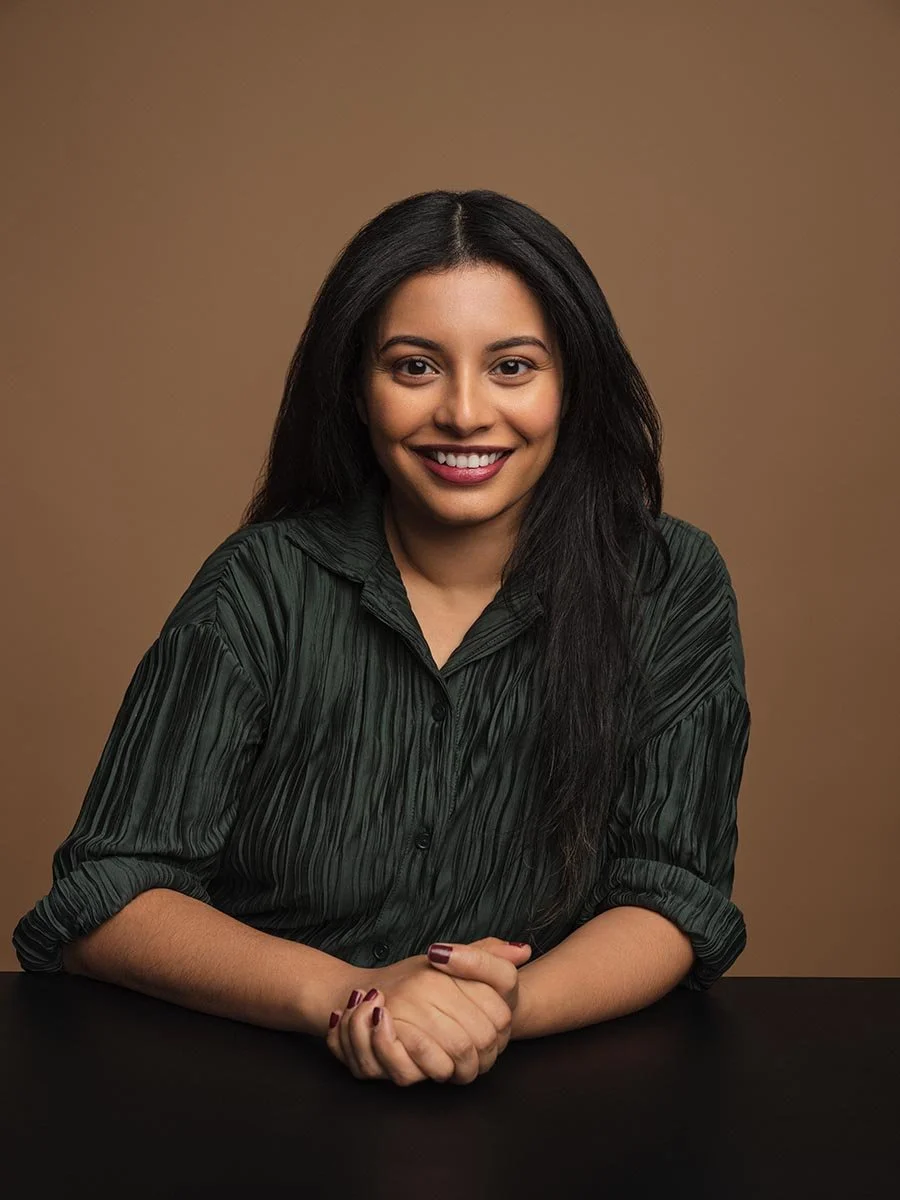
Try this: Rest your forearms lightly on the surface and let your hands meet without gripping. Sit in a position you can maintain comfortably.
Crop and use: Keep the table edge and hands intentional in a wider crop. If you need only a head-and-shoulders picture, compare a tighter version so the table does not compete with the face.
3. Standing while adjusting a cuff

Try this: Try a small jacket or cuff adjustment, then pause. Use the movement as a way to find a comfortable position rather than performing a gesture for every frame.
Crop and use: Check both hands, sleeves and jacket before selecting a wider business portrait. For a tight directory image, judge the face and shoulders separately from the gesture.
4. Two people in one portrait
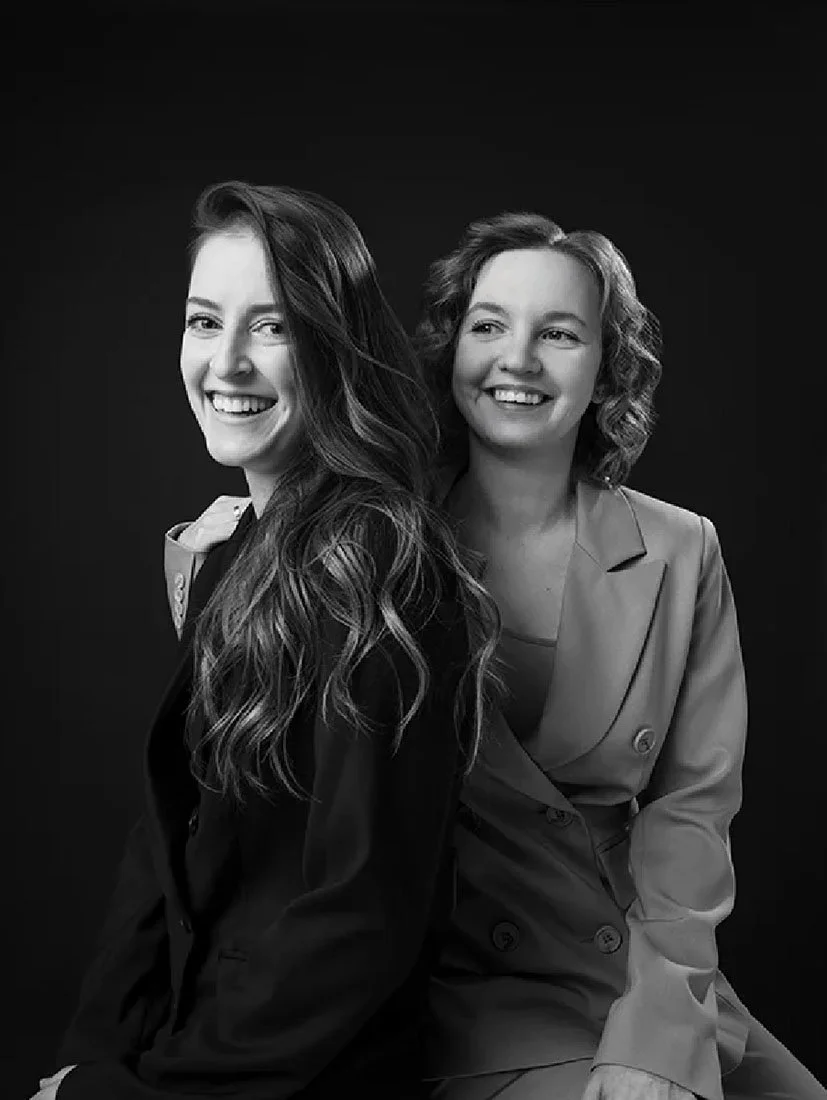
Try this: Agree on the space between you, turn slightly if needed and check that neither person blocks the other. Let each person choose a comfortable expression.
Crop and use: This is a joint portrait, not a substitute for two individual staff headshots. Leave room around both faces and decide whether individual crops are also required.
5. A hand near the face
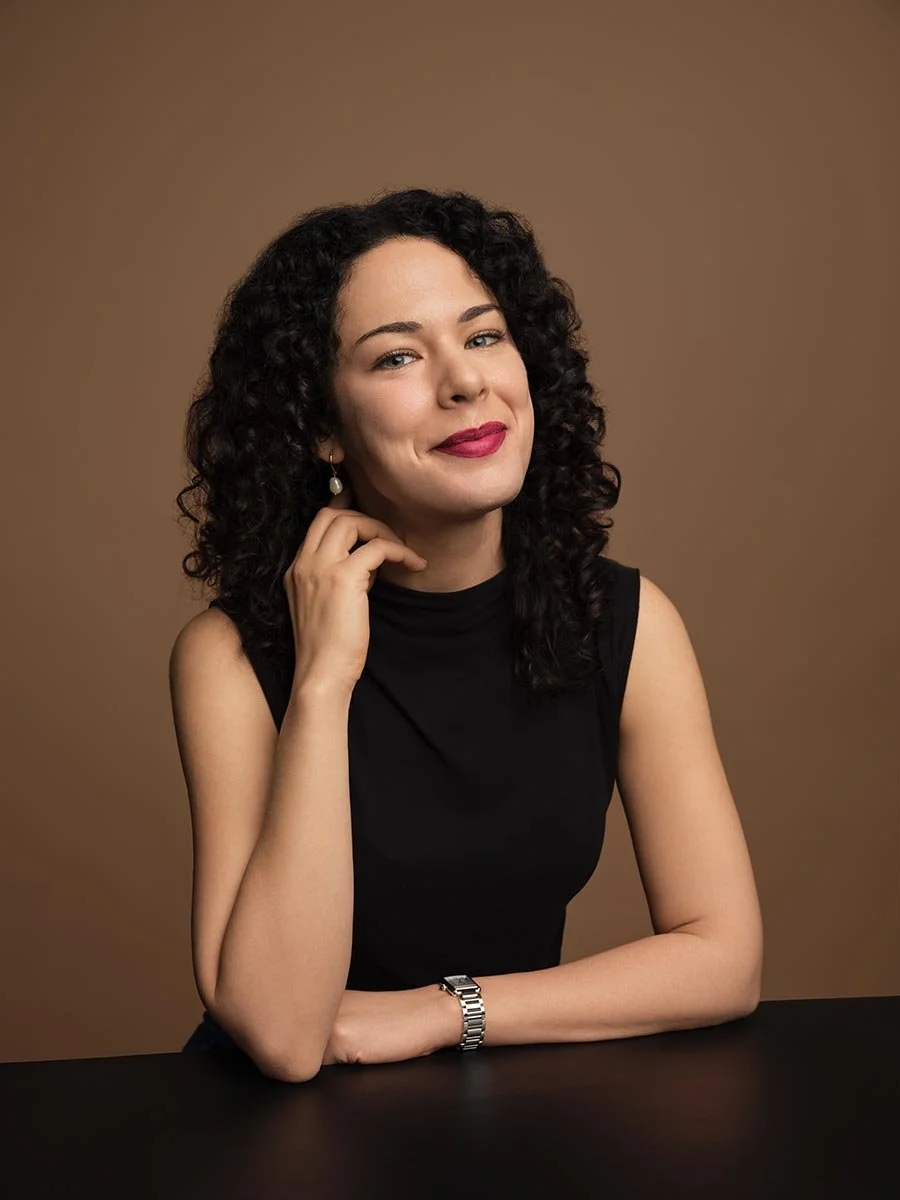
Try this: If you want a more editorial variation, bring a hand near the face without pressing into the cheek. Compare it with both hands lowered.
Crop and use: Check that the fingers do not hide the mouth or jaw and that the hand is not cut awkwardly. Keep a simpler alternative for placements that need a conventional headshot.
6. Hands lightly together while standing

Try this: Let your fingertips meet and keep the elbows easy. If you notice yourself squeezing, separate your hands, reset and try again.
Crop and use: A wider frame needs the hands and torso to work together. In a close crop, avoid letting a partly visible gesture distract from the expression.
7. Seated with hands resting on a knee
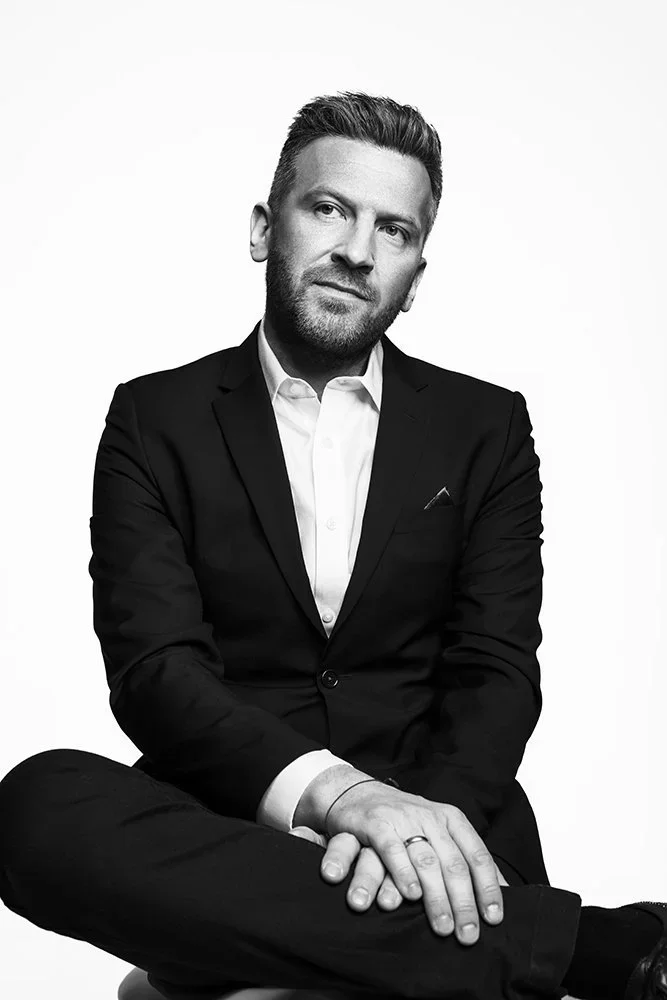
Try this: Choose a comfortable seat, settle your feet and rest your hands rather than holding them in the air. Change the leg position if it makes your posture uncomfortable.
Crop and use: Check the seat, jacket and visible hands in a wider leadership portrait. Compare with a closer crop if the image must fit beside head-and-shoulders staff photos.
8. An environmental portrait in a chair
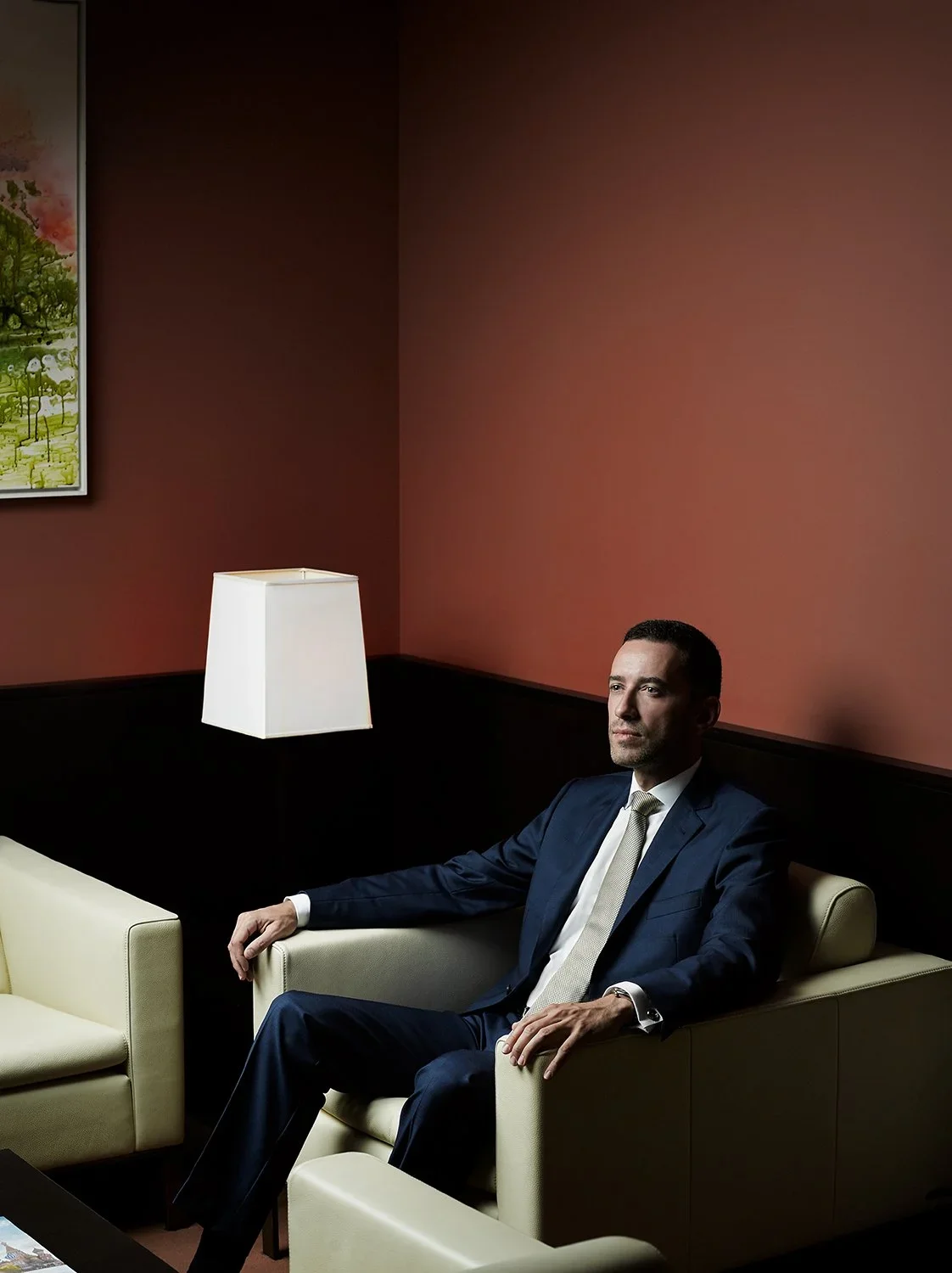
Try this: Use the chair for support and let the arms rest naturally. Ask for a wider and a closer frame if the brief needs both the person and the setting.
Crop and use: The room is part of this composition. Use it for an about page or press placement that has room for the setting, then check whether a separate directory portrait is needed.
9. Folded arms in an office setting

Try this: Try a light arm cross and compare looking toward the lens with looking slightly away. Choose the gaze that fits the actual brief.
Crop and use: An off-camera frame is an option for an environmental or editorial portrait. Also review a lens-facing version if the image will be used as the main staff profile.
10. Seated, facing the camera
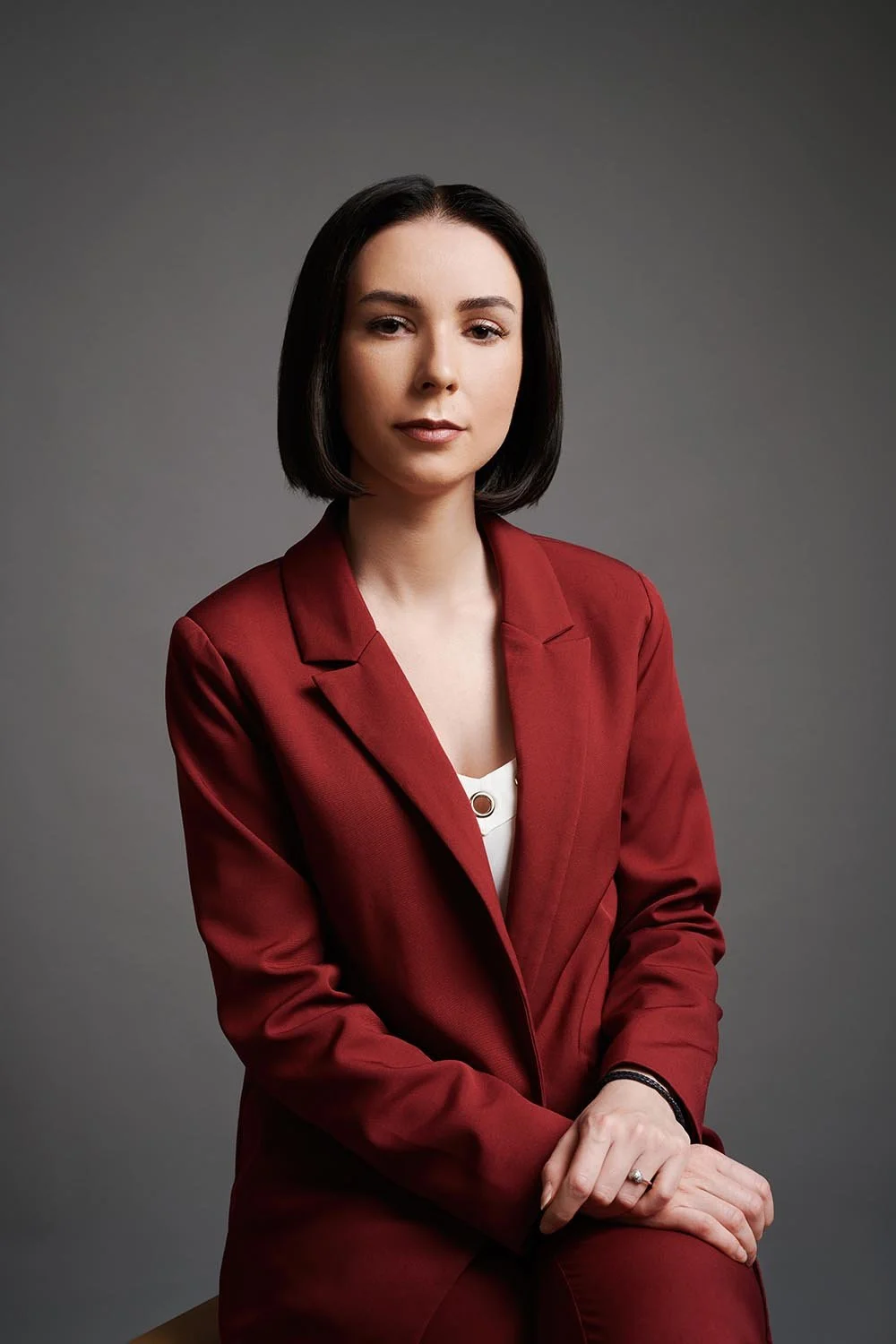
Try this: Start from a comfortable seated position and let the hands rest. Compare a small turn with facing the camera more directly.
Crop and use: Look at the shoulder line, jacket and expression before changing the whole pose. This gives you a clear reference for comparing a second seated variation.
Shoulders, chin and expression: change one thing
Start with a tall but comfortable spine and relaxed shoulders. Try a small body turn, return your face toward the lens and compare the frame. There is no fixed angle that everyone needs to copy. If turning or leaning feels strained, reduce the movement.
For the head position, start near level. A photographer may suggest a small chin adjustment; review it rather than pushing the chin down as far as possible. Check your eyes, glasses if worn, jaw and collar in the preview. Keep the change only if it fits the portrait and feels comfortable.
For expression, compare a relaxed neutral frame, a small smile and a fuller smile. Breathe, let the mouth reset and look toward one person behind the lens. You do not need to hold an exaggerated smile while the photographer adjusts the light. Keep the expression that feels recognizably yours.
What should you do with your hands and arms?
Hands need a deliberate position when they appear in the frame. Start with arms resting, a light clasp or one hand supported by a chair or table. Avoid forcing a hand gesture into a tight headshot just to have something to do.
Check fingers, wrists and elbows in the actual crop. A position that works in a full portrait may leave a distracting partial hand in a chest-up version. If the hands feel tense, lower them, reset and try one simpler option. No hand position belongs exclusively to executives, junior staff, men or women.
Keep a team consistent without identical poses
For a team page, I would agree on the background, lighting direction, camera height and intended crop before settling on pose variations. Save an approved sample so the organizer and photographer can compare later portraits with the same reference.
Allow a small range: standing or seated where practical, a slight turn and comfortable expression choices. Ask about mobility, seating and other comfort needs rather than making one stance compulsory. Consistency should come from the shared visual brief, with room to adjust for each person.
Use the HR headshot rollout brief to record the roster, locations, approval owner and later-hire plan. For a profile-specific picture, the separate LinkedIn headshot poses guide focuses on the close profile crop. A wider executive portrait may need more room for the hands and setting.
Corporate headshot pose checklist
- Confirm the main placement: directory, company bio, press or a wider portrait.
- Start comfortably, with relaxed shoulders and a stable standing or seated position.
- Try one small change to body angle, head position or expression at a time.
- If hands are visible, check their position and the crop around them.
- Review the portrait at its smallest intended display size as well as full size.
- Compare the selected frame with the team reference, while keeping the person recognizable.
- Keep an alternative if one picture will not suit every placement.
Plan a corporate headshot session
Match Production offers individual and team sessions at its Midtown studio and at NYC offices. Photographer-directed virtual sessions are also available for individuals. Tell us which people need portraits, where they are based and where the images will appear.
Compare individual professional headshot packages for one person, or request a corporate headshot plan for your company. Current scope and deliverables belong in the selected package or proposal. You do not need to memorize these examples before booking; use them to explain the kind of portrait you want to make.